

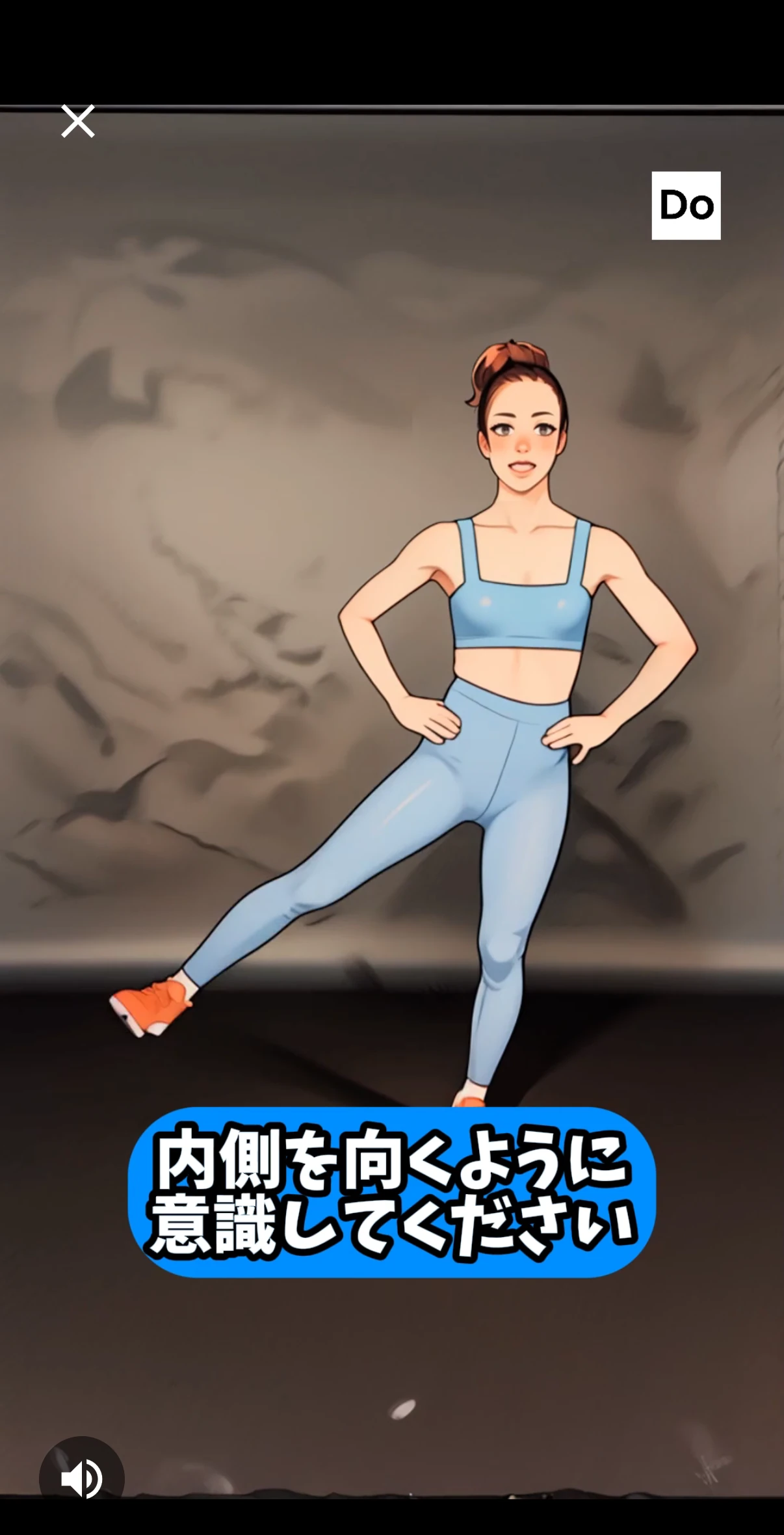
20-second guided exercise videos
Follow short captioned videos during busy days to keep your habit streak alive.
APP USAGE GUIDE
A visual walkthrough of everything you need on day one—step sync, Home tabs, workouts, meals & body tracking, chatting with AI personal trainer AYUMI, and redeeming points.
STEP 01 INSTALL & SETUP
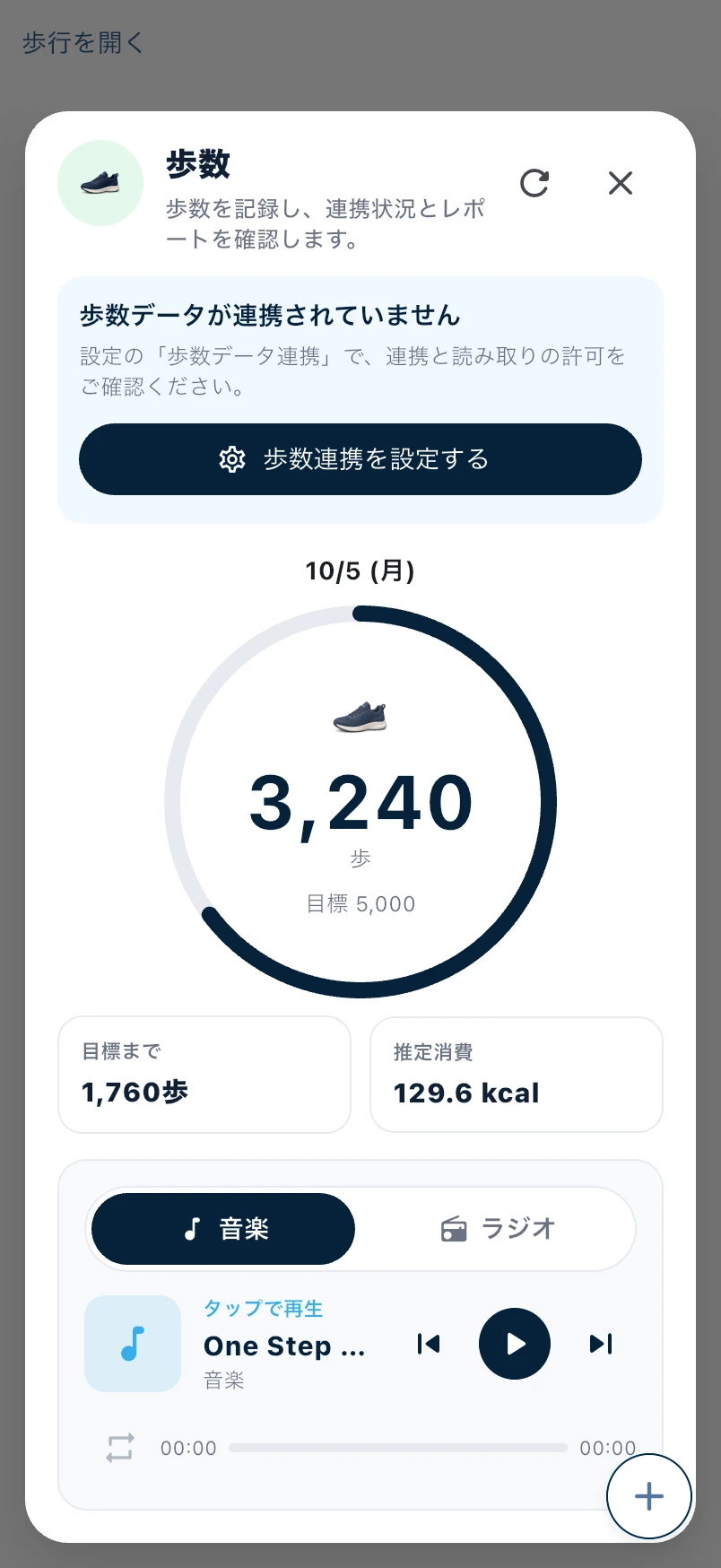
Once step sync is enabled, your everyday walking is tracked automatically and counts toward monthly points.
Download AI-Trainer from the App Store (iPhone) or Google Play (Android). You can also access your logs from a browser at note.doando.club.
Follow the on-screen sign-up flow. Individual users receive 100 bonus points on sign-up. Gym or corporate members can join with their invite code or QR.
Open Step Sync from the Steps screen or Settings and grant read permission to Apple Health (iOS) or Health Connect (Android).
STEP 02 HOME & 5 TABS
Home brings together today's steps, monthly points, and quick actions. Jump anywhere with the 5 bottom tabs and the floating AI button.
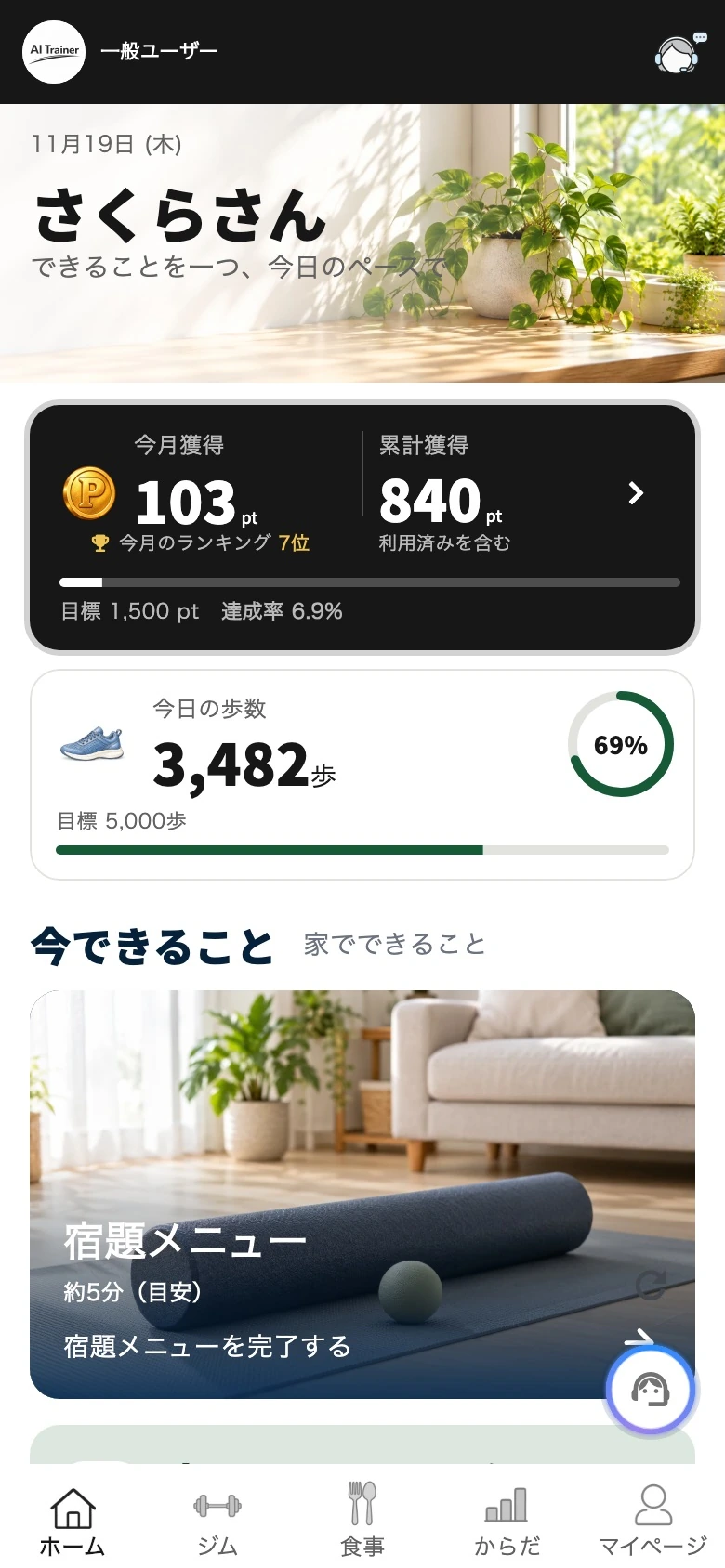
Home Daily hub
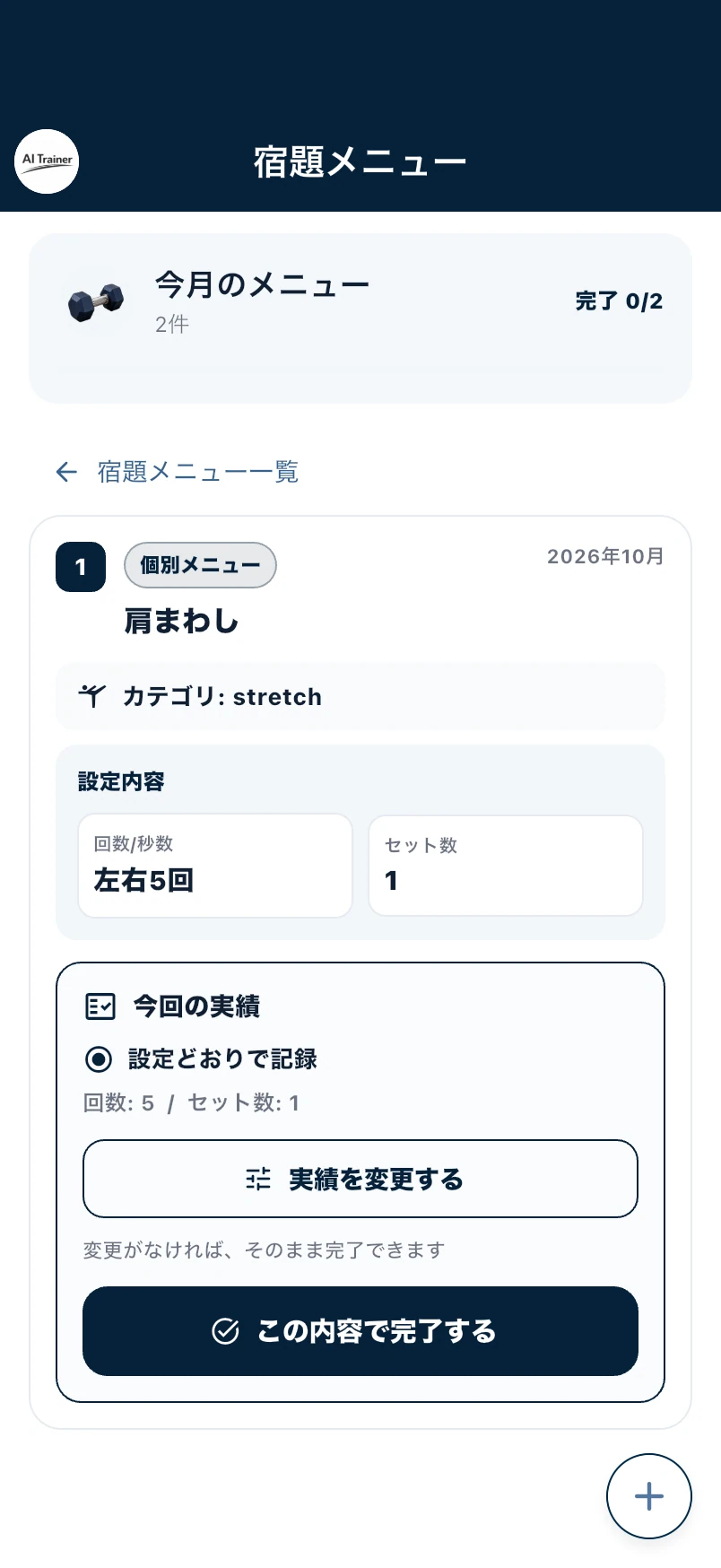
View monthly/total points, today's step goal progress, and ready-to-start homework or exercise cards.
Gym Workouts
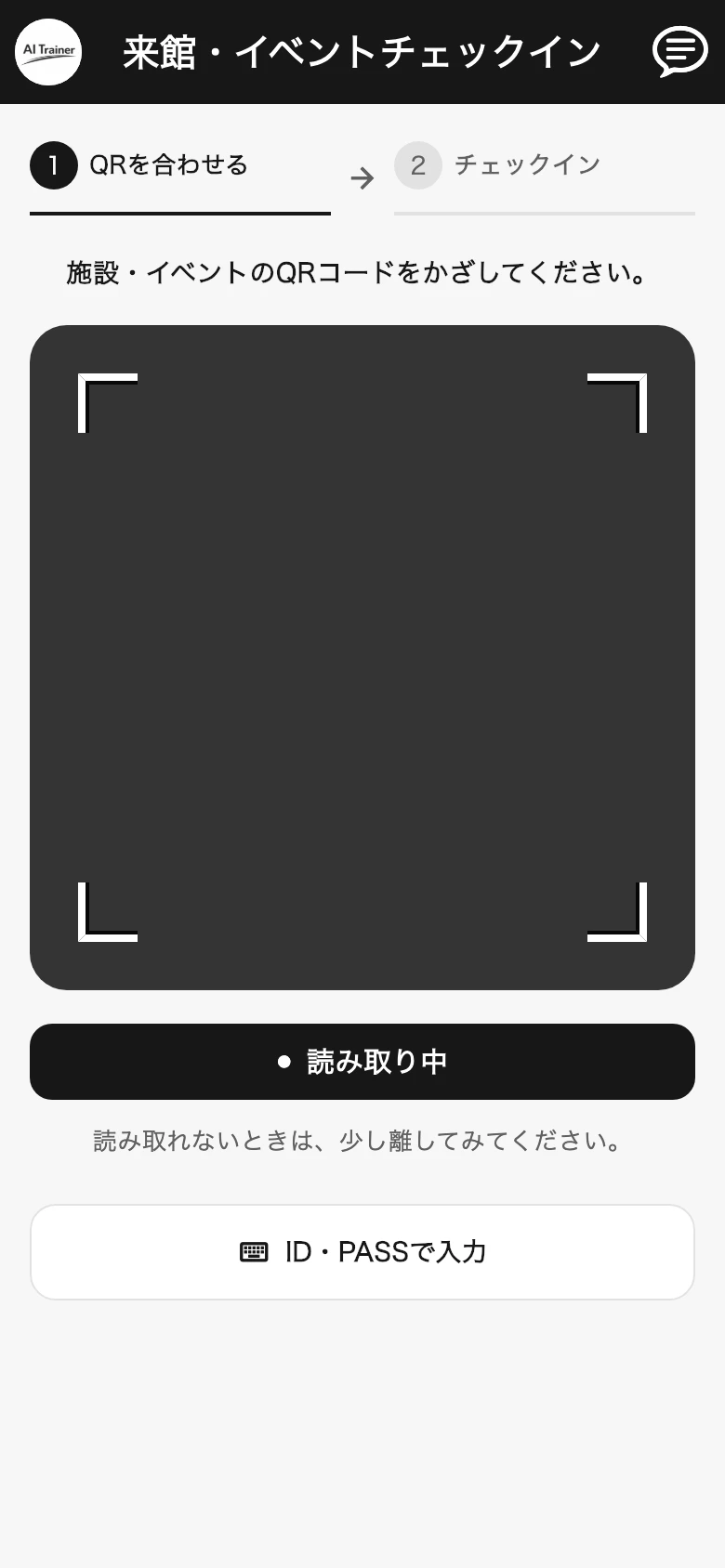
Record training sets in Training Karte, scan facility QR check-in, and complete trainer homework.
Meals Photo AI & PFC
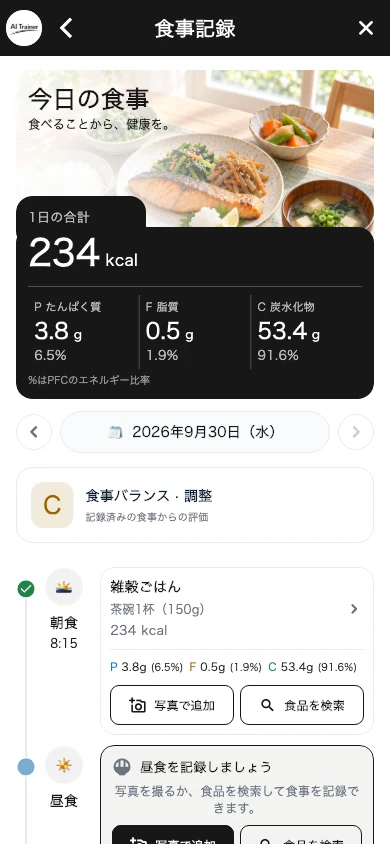
Log breakfast, lunch, and dinner via AI photo recognition or food search and check daily PFC balance.
Body Weight & InBody
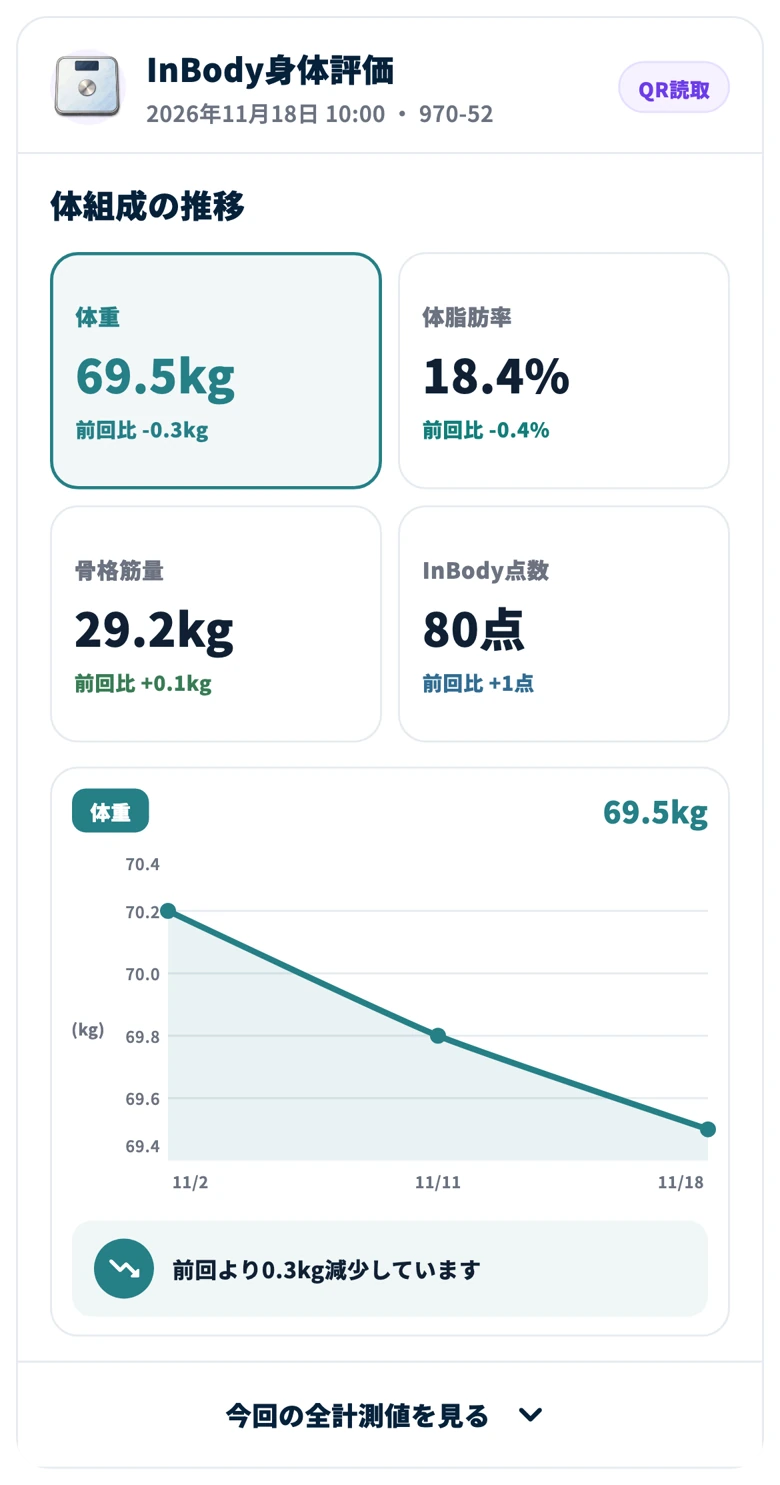
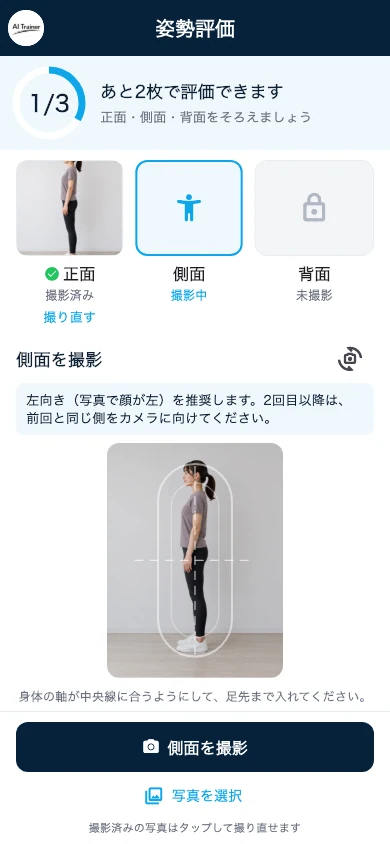
Track weight and body fat trends, InBody QR results, and AI posture evaluation history.
My Page Streaks & Settings
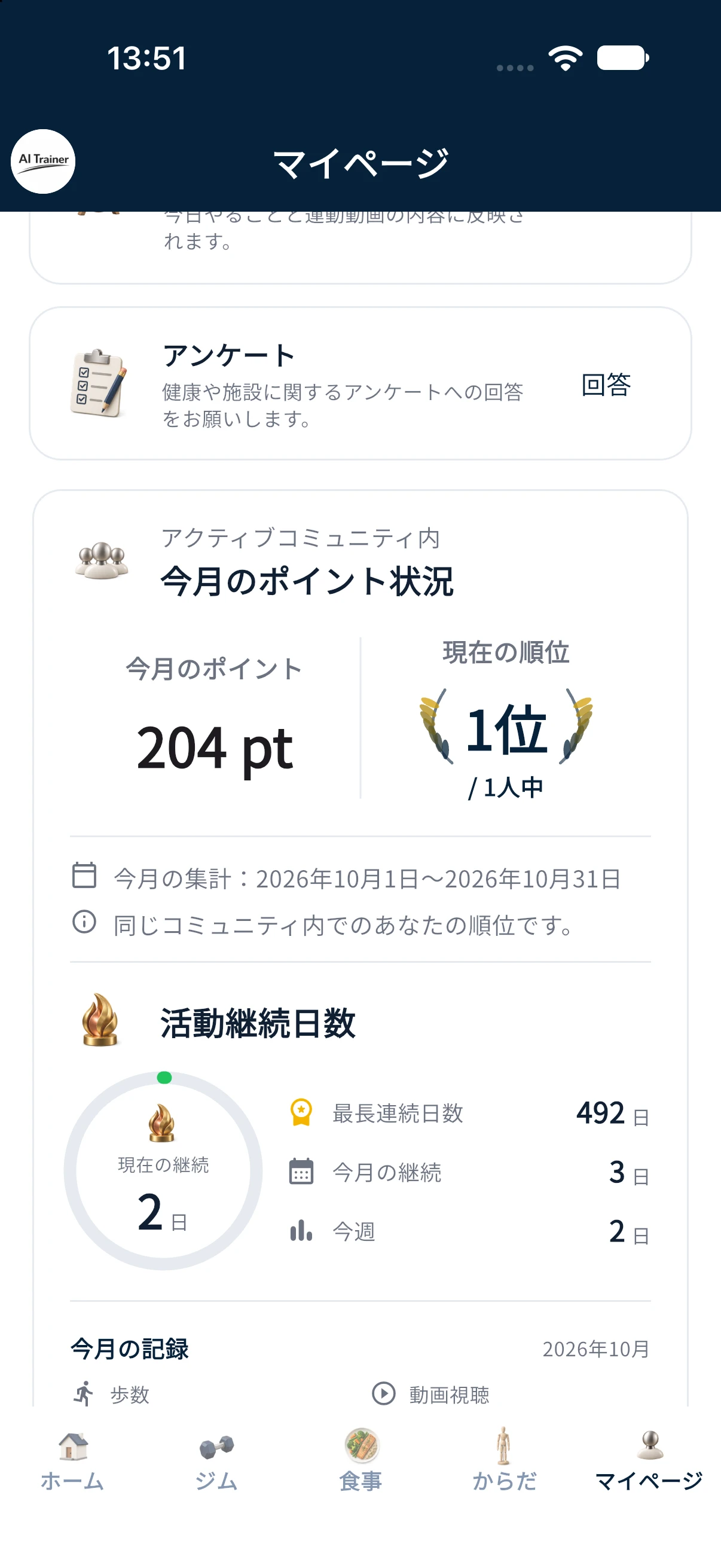
Check monthly rank, activity streak days, surveys, step sync settings, and digital gifts.
Bottom-right AI Button Always available
Open a chat with AI personal trainer AYUMI from any screen whenever you need advice on what to do next.
STEP 03 WORKOUTS & TRAINING LOGS
From 20-second desk stretches to full gym training logs, previous weights and reps stay saved so you can progress confidently.
Follow short captioned videos during busy days to keep your habit streak alive.
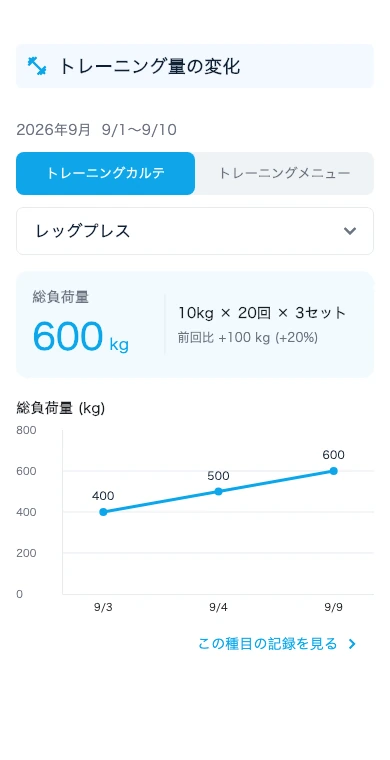
Add exercises quickly from presets or favorites and review all saved sets for today.
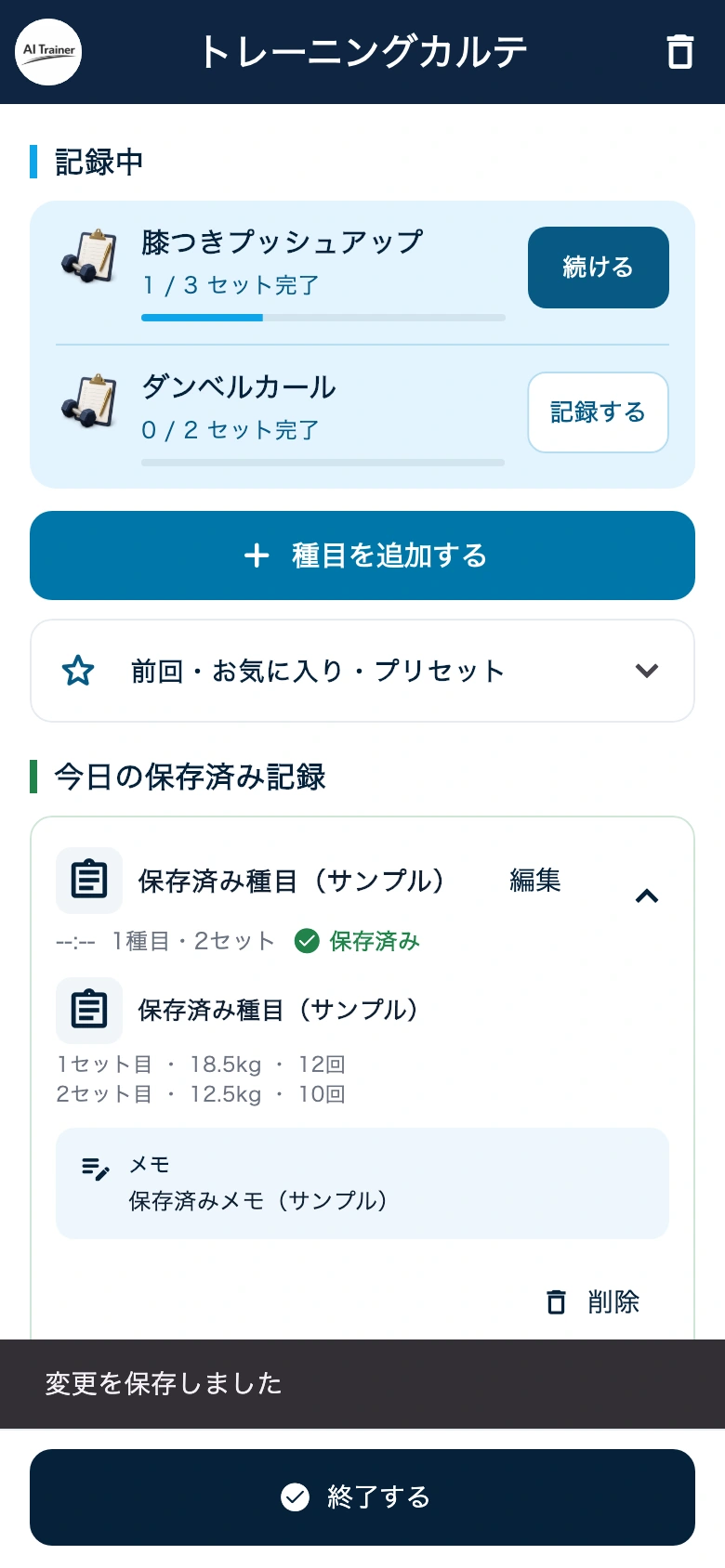
Total volume (weight × reps × sets) is calculated automatically per exercise to visualize growth.
STEP 04 MEALS & BODY TRACKING
Keep daily nutrition, weight, InBody body composition, and AI posture assessments organized in one place.
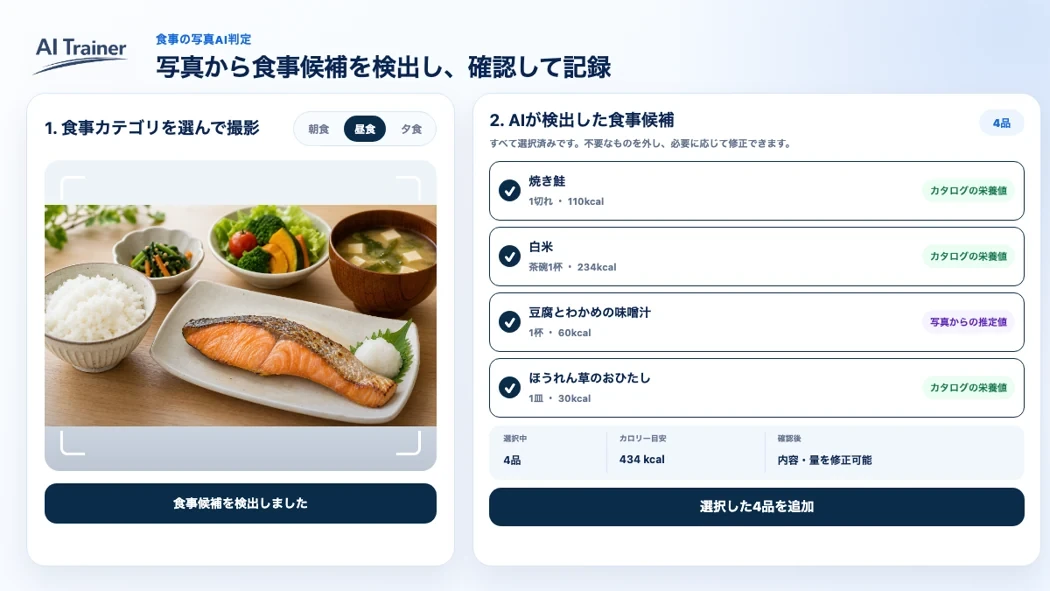
Take a photo of your meal and AI detects multiple dishes with calorie estimates. Adjust items or portions as needed and save—or add via food search.
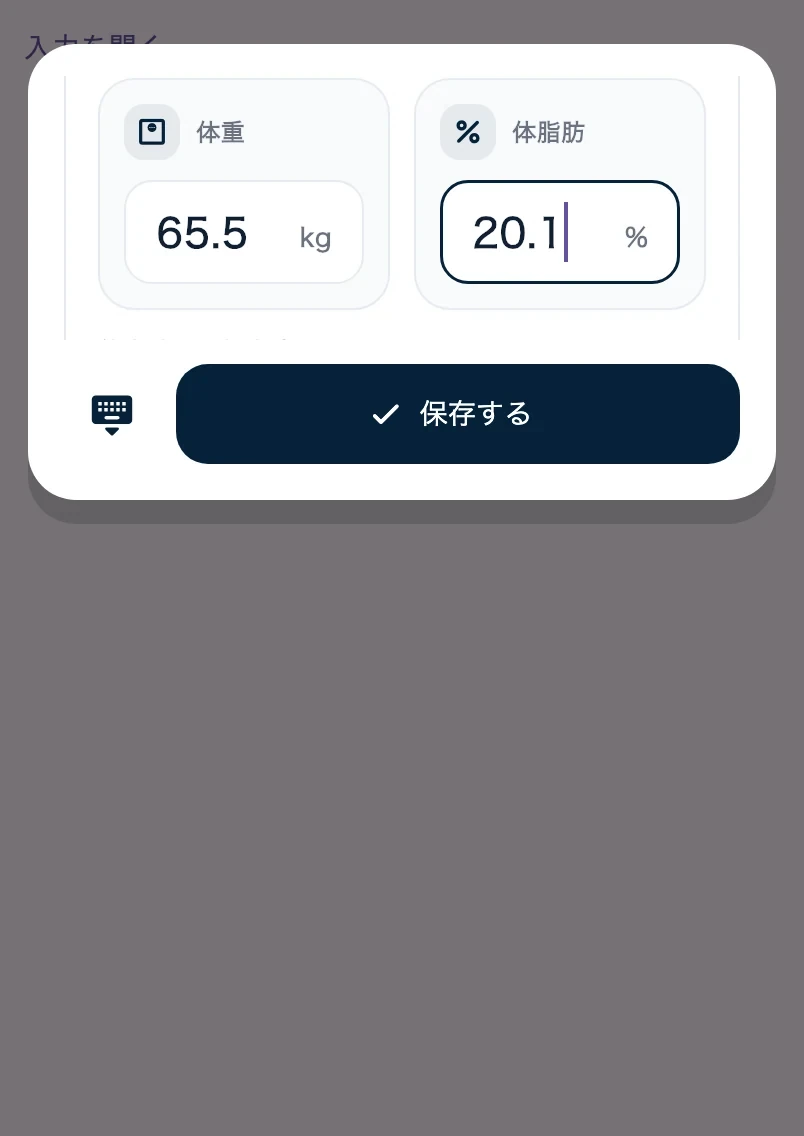
Enter daily weight and body fat percentage quickly with the numeric keypad and save.
Scan the QR code on supported InBody result sheets to save skeletal muscle mass, body fat, and score trends automatically.
Capture front, side, and back posture photos with on-screen guides to track alignment over time.
STEP 05 AI PERSONAL TRAINER
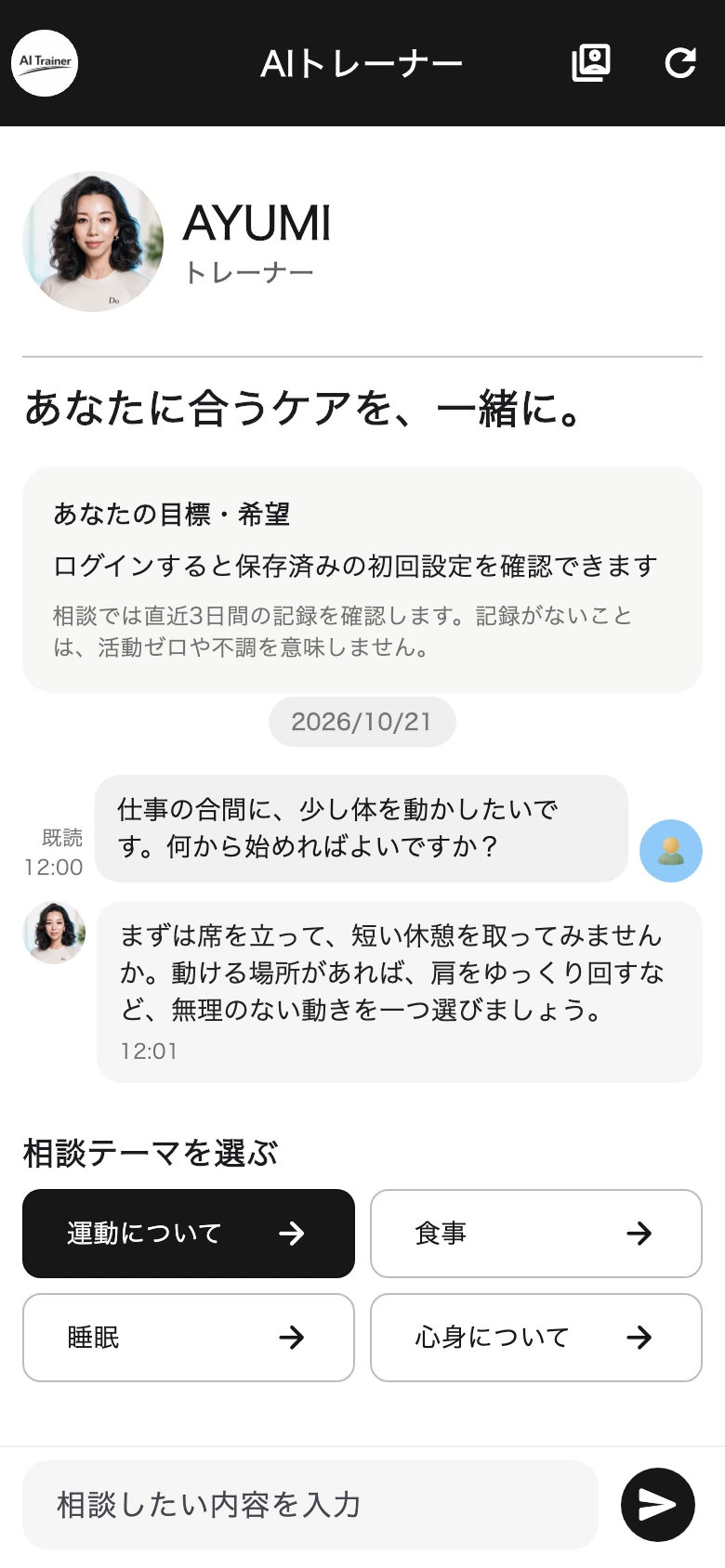
Tap the bottom-right AI button to chat about exercise, meals, sleep, or recovery. With your consent, AYUMI incorporates your recent 3-day activity summary.
Choose from Exercise, Meals, Sleep, or Mind & Body—or send a quick note about your schedule and energy level.
When record sharing is enabled, AYUMI reviews your recent 3-day steps and workouts to suggest realistic next steps.
Start with something achievable—like a 3-minute walk or shoulder rolls—and build steady momentum.
STEP 06 POINTS, NO-MISS SLOT & GIFTS
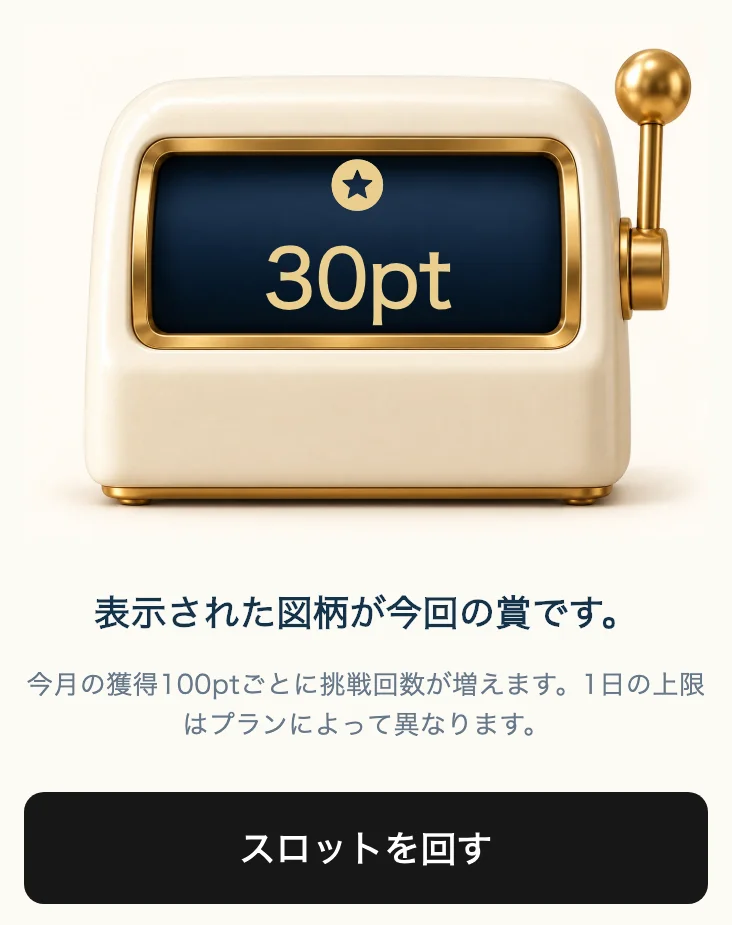
Every 100 monthly points earned unlocks additional spins on the no-miss slot—without deducting your point balance.
Review your active community ranking, continuous activity streak, and monthly point total.
Every spin awards digital gift prizes or bonus points without consuming your points (daily cap varies by plan).
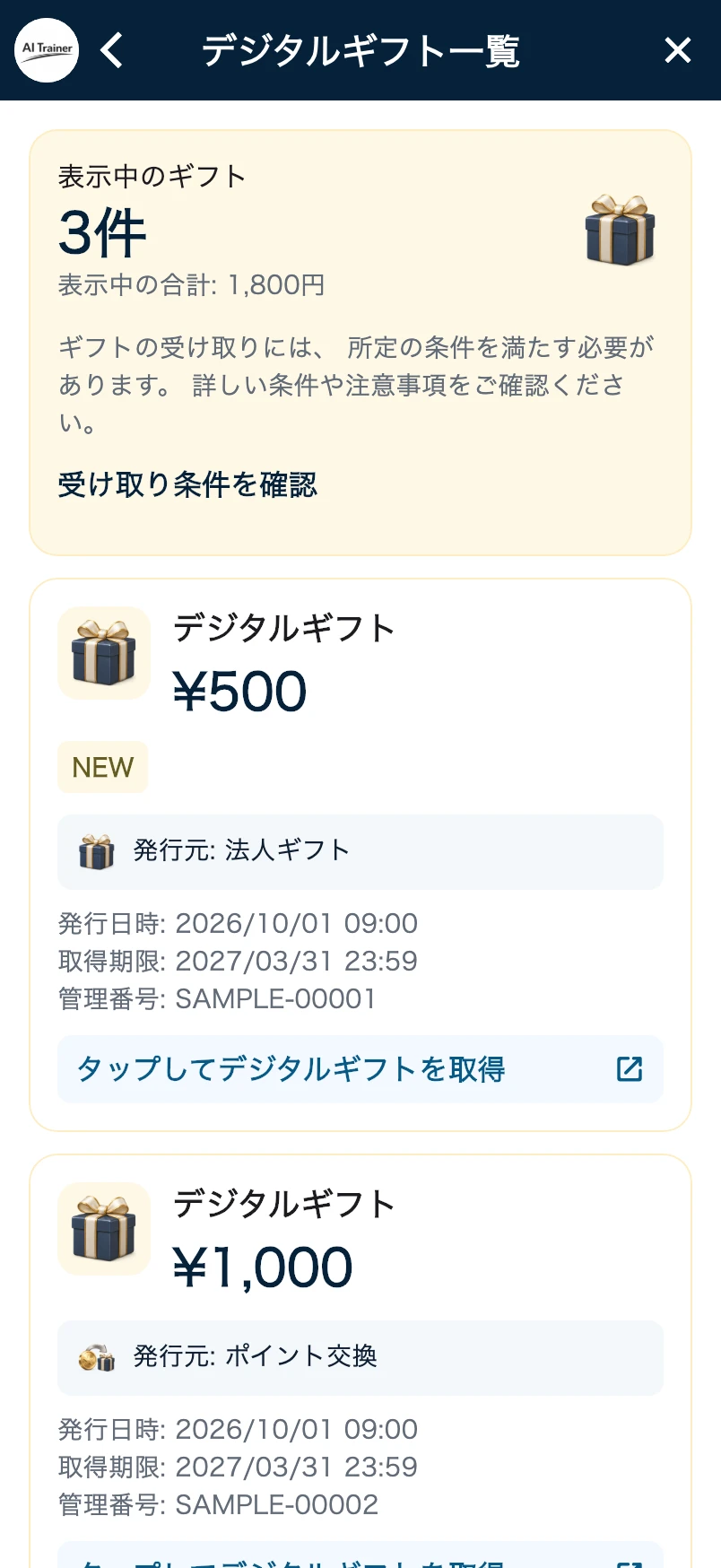
Won or organization-issued digital gifts appear in your Digital Gifts list and can be claimed with a tap before expiry.
Install the app and enable Step Sync to begin automatic tracking today. Need help? Visit our Step Sync Guide, FAQ, or Discord Community.